
What are Display Ads?
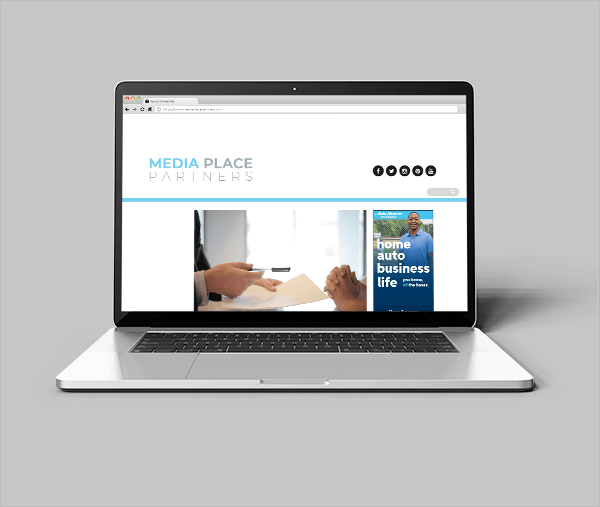
Display ads, also known as banner ads, are digital advertisements placed on webpages in highly visible locations, such as the top of the page or along the sides. Chances are you’re familiar with display ads – they appear on more than 2 million websites in the Google Display Network alone. Display ads can be static or animated, depending on the technology used to make them. With plenty of targeting options available, display ads can be a powerful way to get your message in front of your target audience.
How Display Advertising Works
Display advertising campaigns are run through advertising networks like Google Ads. Marketers place display ads in front of a specific audience by using targeting options such as demographics, interests, geo-targeting, and more.
When a visitor comes to a website with display ads, an auction takes place. This auction happens in milliseconds, with the winning bidder placing their ad on the page for the user to see. Buyers adjust their bids and strategies to win more of the kind of traffic they want. Buyers can also limit how many times visitors see ads across multiple sites. Winning bids are split between the website that showed the ad (the publisher) and the service that served the ad (the ad exchange or network). This is part of what is called Programmatic Advertising. It’s how Google and Facebook make almost all their money.
Of course, programmatic advertising is a bit more complicated than that, but it’s a good place to start from.
If you’d like to know more, please visit: https://www.mediaplacepartners.com/display-advertising/
Benefits of Display Advertising
Branding Machine
Significant Market Reach
Measurable Performance
Direct Link To Your Website
Display ads can send users directly to your homepage or a dedicated landing page of your website.
- Your total out of pocket is $750 for a package valued at $1,500!
- Billed in 3 monthly installments of $250.00.
- Sizes include: 300×250, 300×600, and 970×90
- Your total out of pocket is $1,500 for a package valued at $3,000!
- Billed in 3 monthly installments of $500.00.
- Sizes include: 300×250, 300×600, and 970×90
- Your total out of pocket is $3,000 for a package valued at $6,000!
- Billed in 6 monthly installments of $500.00.
- Sizes include: 300×250, 300×600, and 970×90
Display Ad Choices
You have two different display ad choices – HTML5 or Custom Agent Display. Read below to find out more about these.
HTML5 Display
HTML5 allows for smooth and fluid animations while maintaining a small file size, conserving user bandwidth. The ads shown below are samples. To view the full animation of any ad, simply click on the ad to launch a preview in a new window. Ads will animate then stop on the final frame with your agency information visible. Your name will be added after you place your order and you have the opportunity to approve it before it goes live.
30 seconds is the max animation time allowed by advertising platforms.
Each package has 3 ad sizes. Each ad set has the same messaging, but may have a different layout to better fit the dimensions of the ad. Sizes are specifically chosen to fill both desktop or mobile inventory.
Please note: You must disable any ad-blocking software to properly view the preview ads. You may notice a delay when the sample ads first load. This is normal and is not how the ad will run in production environments.
Basic Animated (HTML5) Display Ad Choices
Grand Opening
Choose Grand Opening when ordering display advertising to select this ad.

Best Thing
Choose Best Thing when ordering display advertising to select this ad.

All The Bases
Choose All The Bases when ordering display advertising to select this ad.

Full Of Fails
Choose Full Of Fails when ordering display advertising to select this ad.

Hats
Choose Hats when ordering display advertising to select this ad.

Custom Agent Static Ad Choices
These are custom static (non-animated) display ads, designed to feature either your headshot or logo. Each package includes three different ad sizes. To ensure optimal quality and performance, all assets must meet the minimum specifications below. Please note: Logos and headshots will be resized down only. They cannot be upscaled and maintain quality.

Agent Headshot
- Minimum photo size 600×600 pixels
- Full color
- PNG or JPG only

Horizontal Agent Logo
- Minimum size 100 tall x 310 wide
- Full Color or black
- Transparent background (ideal) or White background (minimum)
- JPG or PNG only

Vertical Agent Logo
- Minimum logo size 250 tall x 125 wide
- Full Color or black
- Transparent background (ideal) or White background (minimum)
- JPG or PNG only